
WordPress plugin
Let your users write posts from the front end, with AI help built in.
Frontend post submission and guest posting forms with a drag-and-drop builder, a user post dashboard and a free ✨ AI writing assistant. No wp-admin needed.
Free on WordPress.org · Works with any theme · Your own AI key
Who it is for
One plugin for user-submitted content
Guest posting
Accept articles from guest authors without giving them a wp-admin account.
Community and news
Let members publish stories, events and announcements.
Directories and listings
Collect listings with images, maps and custom fields. Charge per submission with WooCommerce.
Membership sites
Give users a front-end dashboard where they manage their own posts.
New in 5.1 · free
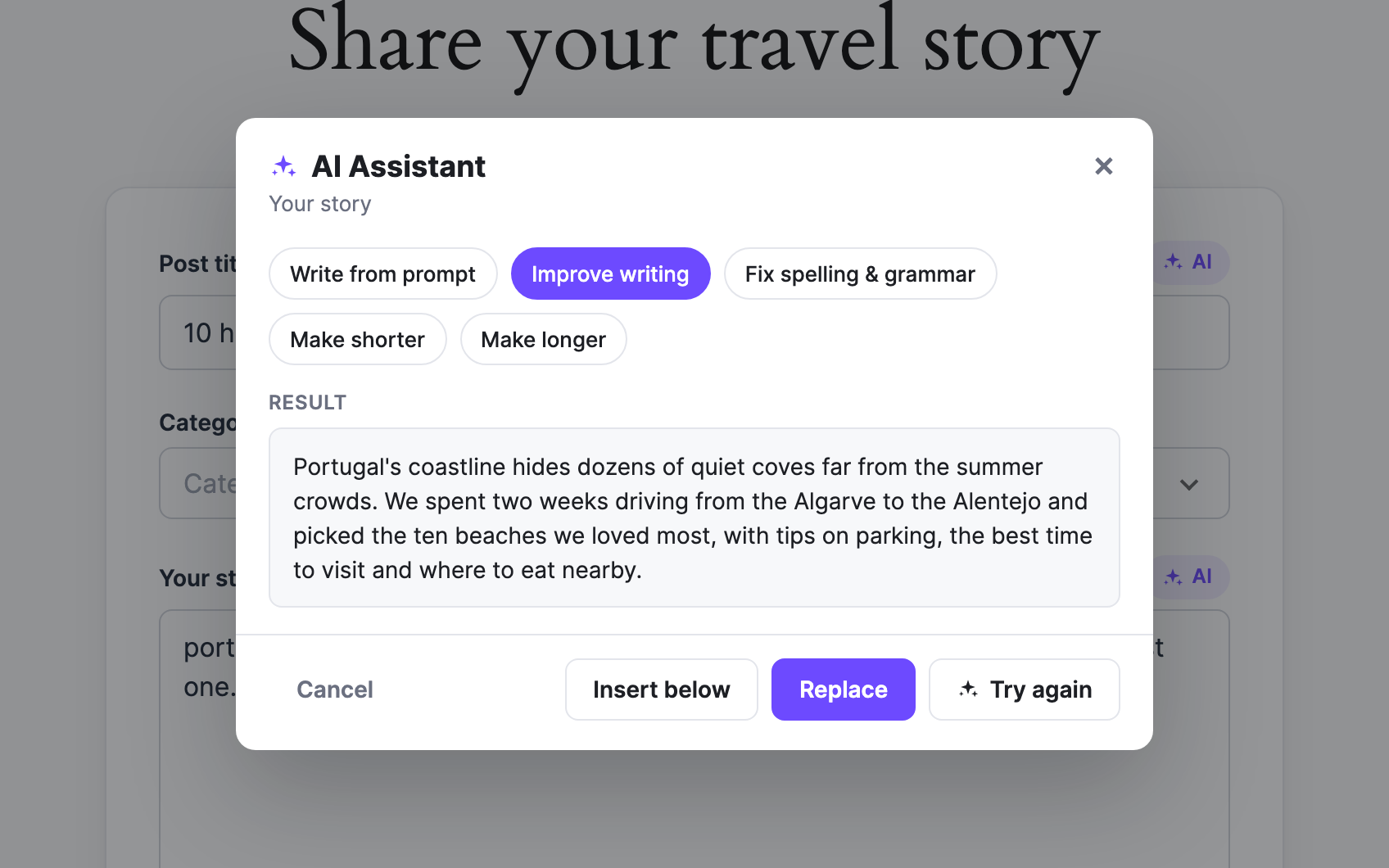
✨ An AI writing assistant inside your forms
An “✨ AI” button sits next to the title and text fields. Your users write from a prompt, improve their text, fix grammar, or make it shorter or longer, then preview and insert the result.
- • OpenAI, Claude, Gemini, OpenRouter or a self-hosted model
- • Off by default, switched on per form
- • Who can use it and a daily limit per user
- • Pro: form generator, moderation, translate, SEO meta
Features
Everything for frontend posting
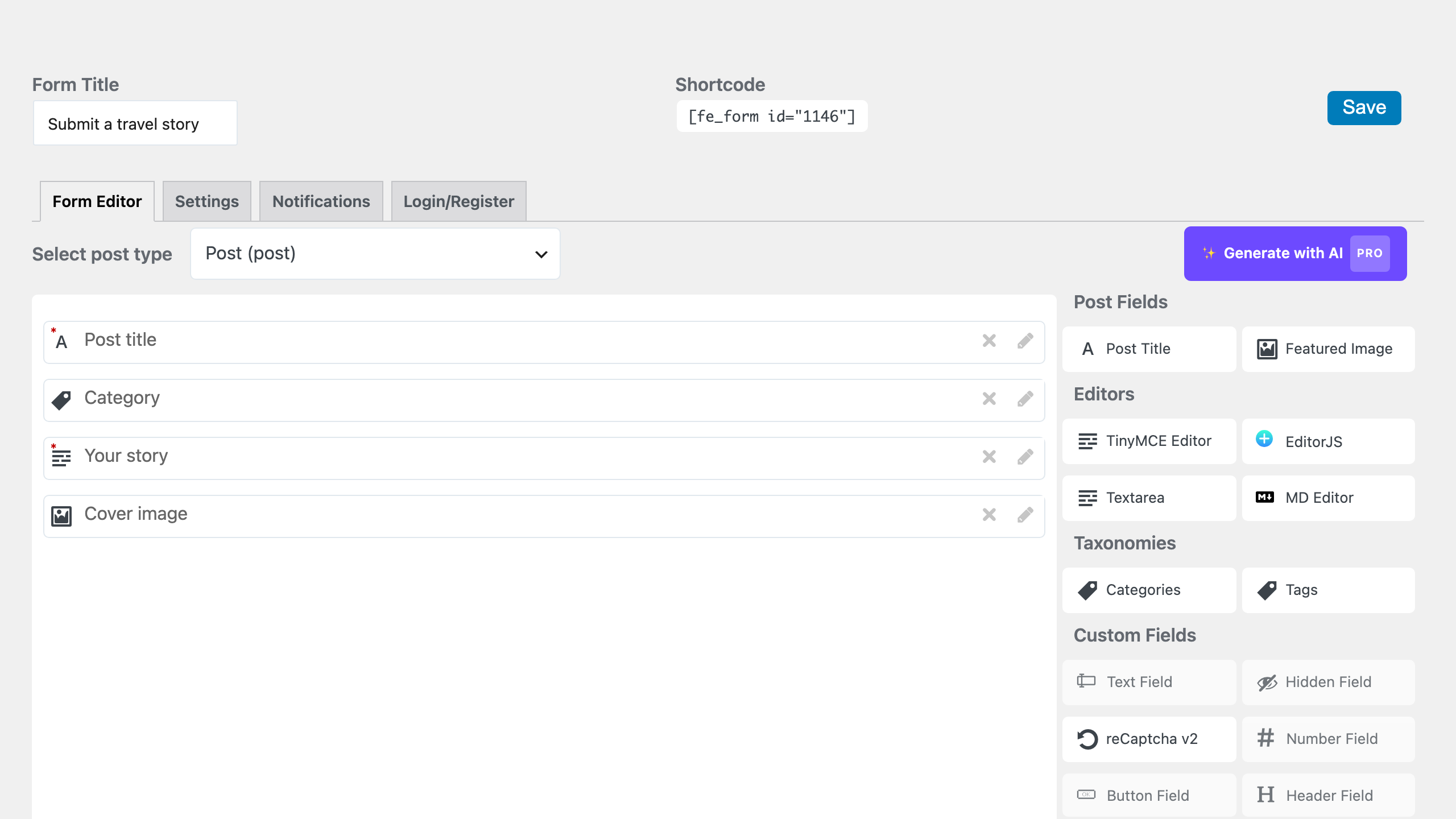
Drag-and-drop form builder
Build as many forms as you need, each with its own settings, fields and design.
Three editors
Block-style EditorJS, Markdown, TinyMCE or a plain textarea, chosen per form.
Guest posting (Pro)
Let visitors submit without an account, with reCAPTCHA or hCaptcha against spam.
Edit and delete from the front end
Authors fix their own posts later, from a dashboard on your site.
Your workflow
Pending review, draft or published. Email notifications and a redirect after submit.
Looks right on any theme
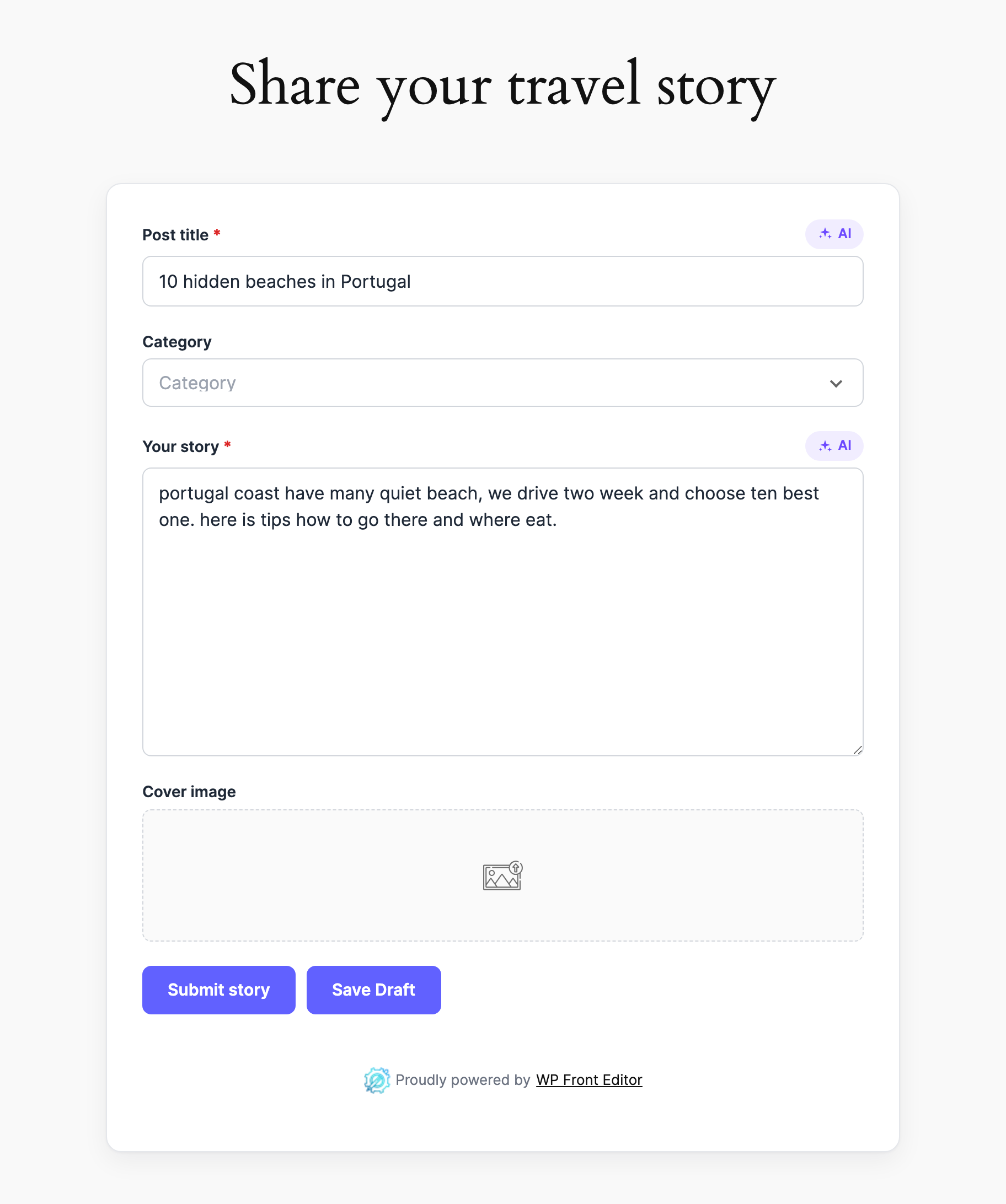
The free Clean design fits any theme. Preview every design on your own form first.
Free Clean design
Forms that look like part of your site
New forms use the Clean design, which looks right on any theme. Not sure which design to pick? “Preview on my form” shows every design, Pro ones too, on your own form before you choose.
Read the docsQuestions
Do my users need a WordPress account?
Not with Pro: turn on guest posting and anyone can submit. In the free version users log in first. Either way you decide whether new posts are published, saved as drafts or held for review.
How does the AI assistant work and what does it cost?
You add your own API key for OpenAI, Anthropic Claude, Google Gemini, OpenRouter or any OpenAI compatible API. Requests go from your server, so the key is never shown to visitors. AI is off until you turn it on per form, and you set a daily limit per user.
Does it work with my theme and page builder?
Yes. Put a form on any page with a shortcode or the block. The Clean design is made to look right on any theme, and you can add your own CSS.
Can I charge for submissions?
Yes, in Pro. Connect a WooCommerce product to a form and users pay before their post is submitted.
Start accepting posts today
Install the free plugin, create a form, put the shortcode on a page. That is it.